From paper to app: how a small company switches to a digital trip log
· 6 min read
What to prepare before you replace paper trip logs with phone recording: cars, drivers, frequent addresses, odometer readings, a parallel month, retention.
Paper trip logs rarely hurt when they are filled in. They hurt at the end of the month: missing days, unreadable mileage, a driver writing up three weeks of trips from memory. Digital recording fixes this, but even for a small company the switch is not a single click. If you gather the basics in advance, you can move over comfortably within a month.
Take an example: a repair company in Debrecen with 8 cars and 9 drivers. Two cars are shared by two people, the owner drives one, and the rest each belong to one technician. Until now they kept trips in a notebook, and the accountant received the scanned pages every month.
1. The list of cars
For each car you need the following – most of it is on the registration certificate:
| Data | Why it is needed |
|---|---|
| registration number, model | the mileage log has to be kept per car |
| fuel type, engine size | the consumption norm depends on them |
| consumption norm | it has to appear in the mileage log |
| who drives it (one or more drivers) | so drivers only see their own cars on the phone |
| service, MOT and insurance due dates | if you want the reminders handled too |
The content of the mileage log is set by Annex 5 of the Hungarian Personal Income Tax Act: per car, the model, the registration number, the consumption norm and the odometer reading on the first and last day of the year; per trip, the date, the purpose (from where to where), the business partner visited and the distance driven.
2. Drivers and permissions
Write down who may drive which car and who can see what. A small company usually has three roles: the driver (sees only their own trips), the office (sees everything and resolves discrepancies), and the accountant (only gets the finished monthly report). The owner should decide whether their own car goes into the system the same way.
Before you start, inform the drivers in writing about what the system records, what you use it for and who has access. Both the Hungarian Labour Code rule on employer monitoring (section 11/A (1)) and the GDPR (Article 13) require this, and it prevents a lot of later arguments.
3. Frequent addresses
Drivers record trips willingly when they do not have to type the address every time. Go through the last two or three months of paper logs and collect the recurring destinations: the depot, the wholesaler, regular clients, the garage. At the repair company this came to 25–30 addresses, which covered most trips. A rare address the driver types in anyway.
At the same time, decide on the trip types (for example client, purchasing, service, private). The fewer the better: the driver picks one at the start of the trip and does not want to write prose.
4. The starting odometer reading
This is the most delicate point. Pick a day – the first working day of a month is easiest – and that morning every driver photographs the odometer before setting off. This becomes the starting reading of the digital log, and you can check it against the last entry of the paper log. If the two differ, you find out now, not during a tax audit.
If you switch mid-year, do not throw the paper sheets away: the reading on the first day of the year is on paper, the one on the last day will be in the digital log. Together they give the accountant the full year.
5. The parallel month
In the first month, keep both. That sounds like twice the work, but it only needs to be taken seriously by two or three drivers: they fill in both paper and phone, the others use only the phone. At the end of the month compare the two reports car by car. What usually turns up:
- forgotten closing: the trip started but never ended because the driver forgot to close it;
- odometer jump: a few kilometres are missing between two trips (a private trip or a forgotten entry);
- vague purpose: “Debrecen – Debrecen”, with no partner.
These are not faults of the system but of habit. The parallel month is there so that the second month is clean.
6. What does the accountant need?
Ask in advance, not at month end. Accountants typically want a monthly report per car, split into business and private mileage, with the odometer readings at the start and end of the month, in a machine-readable format (Excel or CSV) and a printable version (PDF). Also ask whether they want the fuel receipts with the same report or separately, and who sends it: you, or the system automatically.
7. Retention
Under the Hungarian Act on the Rules of Taxation, tax records must be kept until the right to assess the tax lapses (section 78 (3)); as a rule that is five years from the end of the year in which the return was due (section 202 (1)). Under the Accounting Act, accounting documents supporting the books must be kept for at least 8 years (section 169 (2)). Which one applies to your mileage log is a question for your accountant; the safe choice is the longer one.
The old paper trip logs must be kept as well. An electronic copy satisfies the accounting retention rule only if it meets the rules on electronic copies of paper documents (Accounting Act section 169 (6)) – a simple phone photo may not be enough, so keep the paper.
A one-month schedule
- Week one: list cars, drivers, permissions and frequent addresses; give drivers the written notice.
- Week two: setup, two or three drivers try it on their phones.
- First day of the next month: odometer photos, everyone starts, the trial drivers also keep paper.
- End of the month: compare the two reports, the accountant gets the first one.
If you switch with Flottanapló
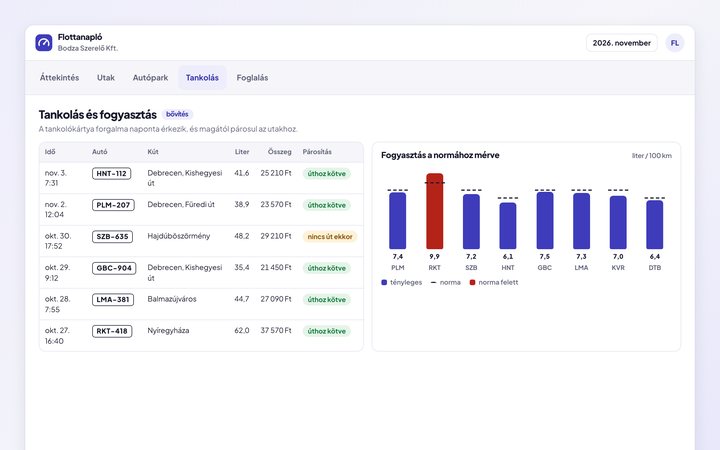
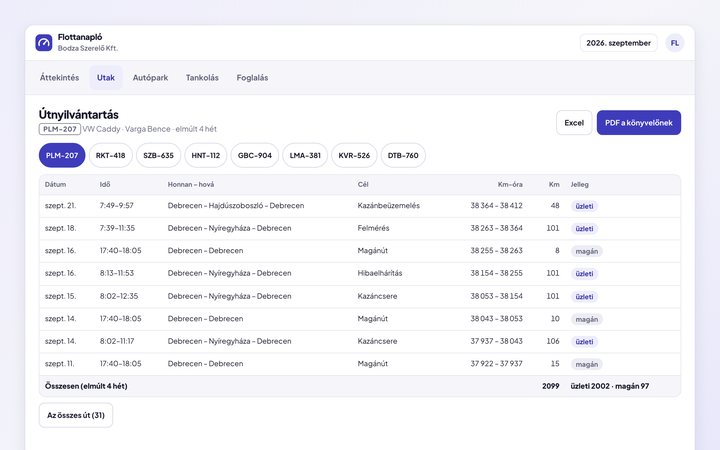
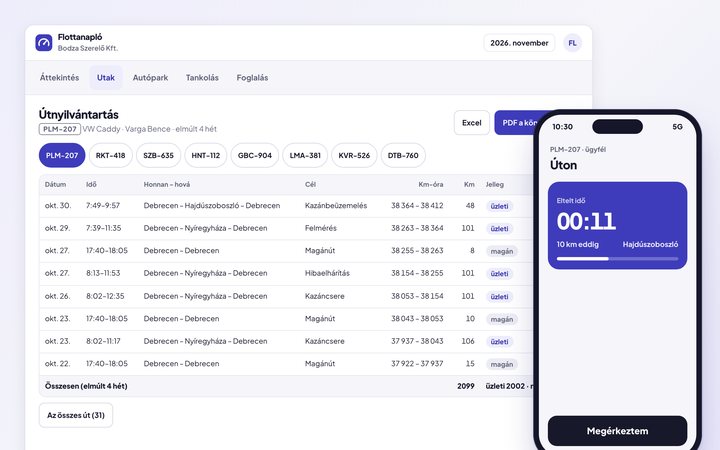
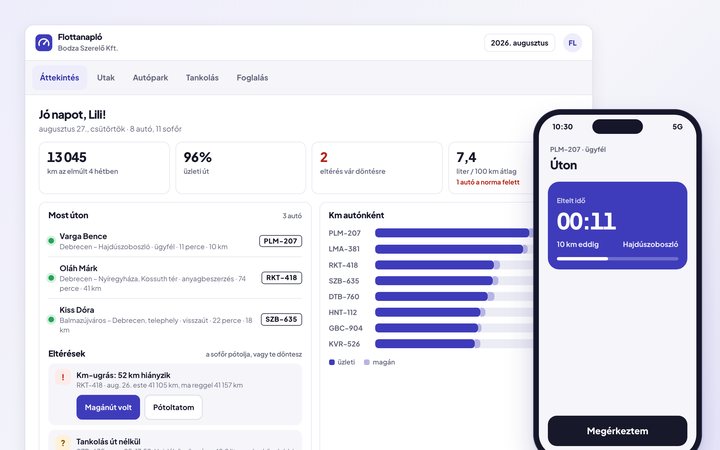
Flottanapló follows this path: drivers start and end trips on their phone, even without signal, the odometer reading is suggested from the previous trip, odometer gaps and refuels that belong to no trip are flagged, and at month end the accountant gets PDF and Excel. You can try it on the home page with a made-up company's data.
General information based on the rules in force on 28 August 2026, not legal or tax advice.
Sources
- Act CXVII of 1995 on Personal Income Tax, Annex 5, II. 7 (mileage log) – in Hungarian
- Act I of 2012 on the Labour Code, section 11/A (1) – in Hungarian
- Regulation (EU) 2016/679 (GDPR), Article 13
- Act CL of 2017 on the Rules of Taxation, sections 78 (3) and 202 (1) – in Hungarian
- Act C of 2000 on Accounting, section 169 (2) and (6) – in Hungarian
Found it useful? Pass it on to someone it could help.